Business Engagement
Catalyst (module "be") is the front door between the business and the architecture team — an intake-to-delivery demand pipeline that threads every request through to the artifacts (decisions, designs, blueprints) it eventually produces.
How it fits together
An Engagement is the one record type in this module, and everything else here is either a way *into* it or a view *over* the pipeline of them. Three doors lead in: the public no-login intake form, the in-app "Submit a Request" form, and — from outside this module entirely — promoting an approved Strategic Position Paper Work Package straight into an engagement (see Governance), which arrives pre-filled with cost/complexity carried across as the starting effort estimate. Once an engagement exists, it moves New → Triage → Accepted → In Progress → Delivered/Declined on the Demand Pipeline board; the Power–Interest Grid and Demand Analytics are read-only lenses over that same set of engagements, not separate records to create. On the way out, an accepted/in-progress engagement can be promoted onto the Roadmap Gantt, and its Linked Artifacts panel accumulates whatever Decision, Solution Design or Service Blueprint the demand eventually produced — so by delivery, an engagement is the audit trail connecting "the business asked for X" to "here's what we actually built."
Demand Pipeline
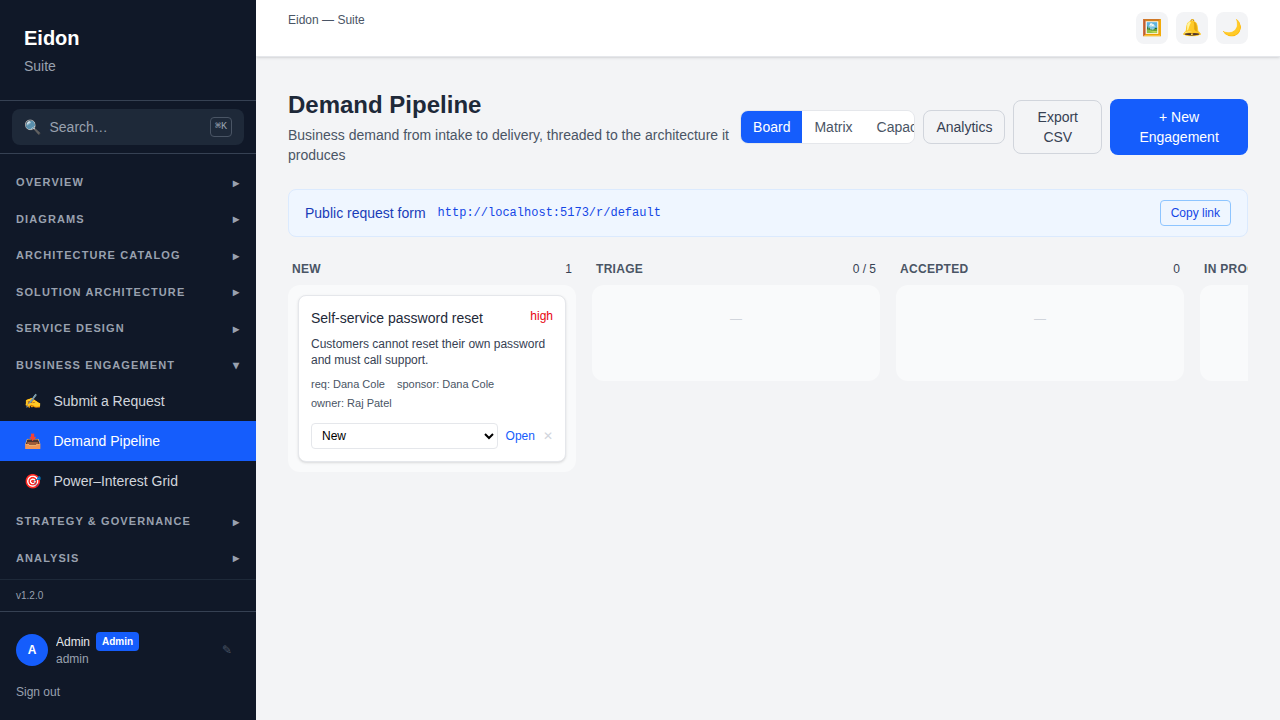
The Demand Pipeline is a Kanban board of engagements moving through New → Triage → Accepted → In Progress → Delivered/Declined, with drag-and-drop between stages and a soft WIP (work-in-progress) limit on Triage and In Progress — exceeding it turns the column amber as a visual overload warning rather than blocking the move outright. Each card shows priority, requester, sponsor, a value/effort score if set, and linked-artifact count. Three views cover different questions: Board for day-to-day triage, Matrix for a value/effort quadrant view (quick wins, major projects, fill-ins, hard slogs) once demand is scored, and Capacity for open demand and total effort grouped by owner, so new work isn't assigned to someone already overloaded. Every workspace with this module gets a public, no-login request form at /r/:workspace-slug — the exact link is shown at the top of this page, ready to share — as well as an in-app "Submit a Request" form for logged-in users, and the whole pipeline exports to CSV.
Engagement detail
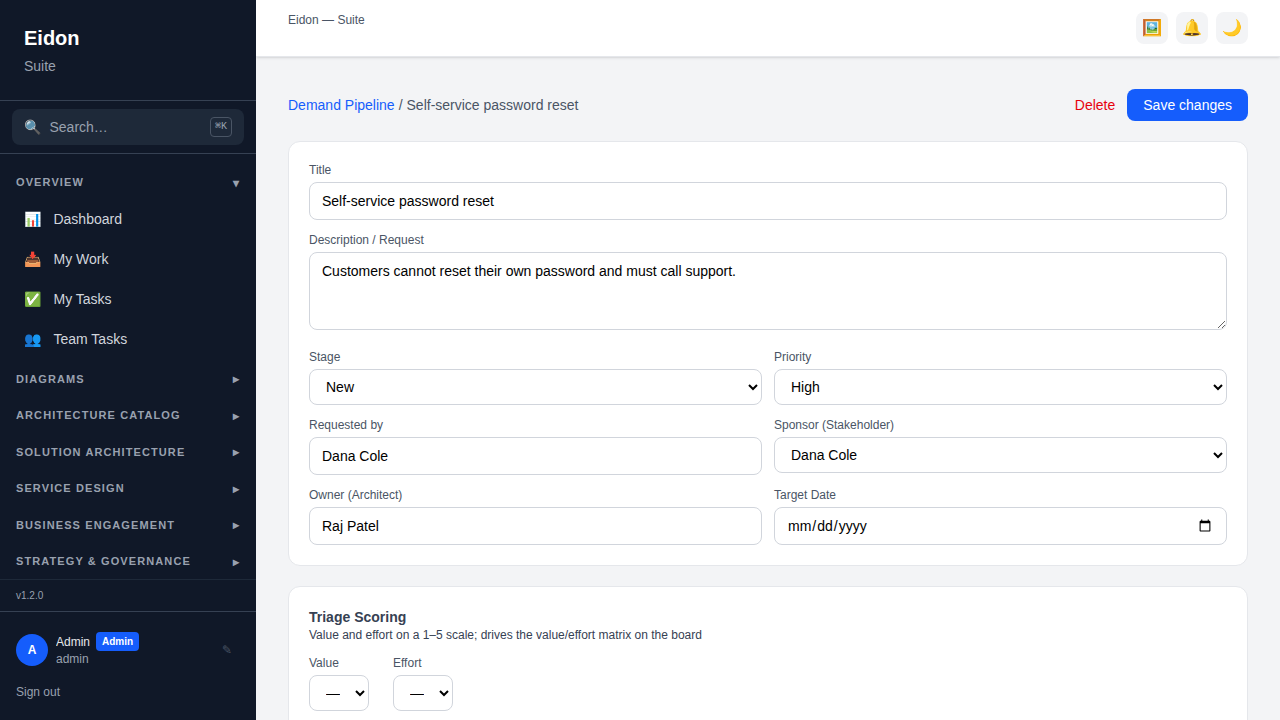
Opening an engagement surfaces the full intake-to-delivery record: Triage Scoring (value and effort, 1–5, which drives the Matrix view); Initiative Details captured at intake (division/department, new-vs-replacement type, sponsor endorsement yes/no with sponsor name and an uploaded or linked endorsement document, objective, problem statement, risk); Benefits (expected vs. realised, so a benefit promised at intake can be checked against what was actually delivered); Satisfaction (a 1–5 CSAT score with a comment once delivered); an Interaction Log of dated, freeform notes from meetings and conversations; a Stakeholder Plan (who to engage, their RACI role, and their current vs. desired level of support); Linked Artifacts (any Decision, Solution Design, Service Blueprint or other object this demand produced); a "Promote to roadmap" action that creates a linked Roadmap Gantt item once the engagement is accepted or in progress; a stage-change history for audit; and the same Governance (review requests / approval chain) panel used elsewhere in Eidon.
Submitting demand (in-app & public intake)
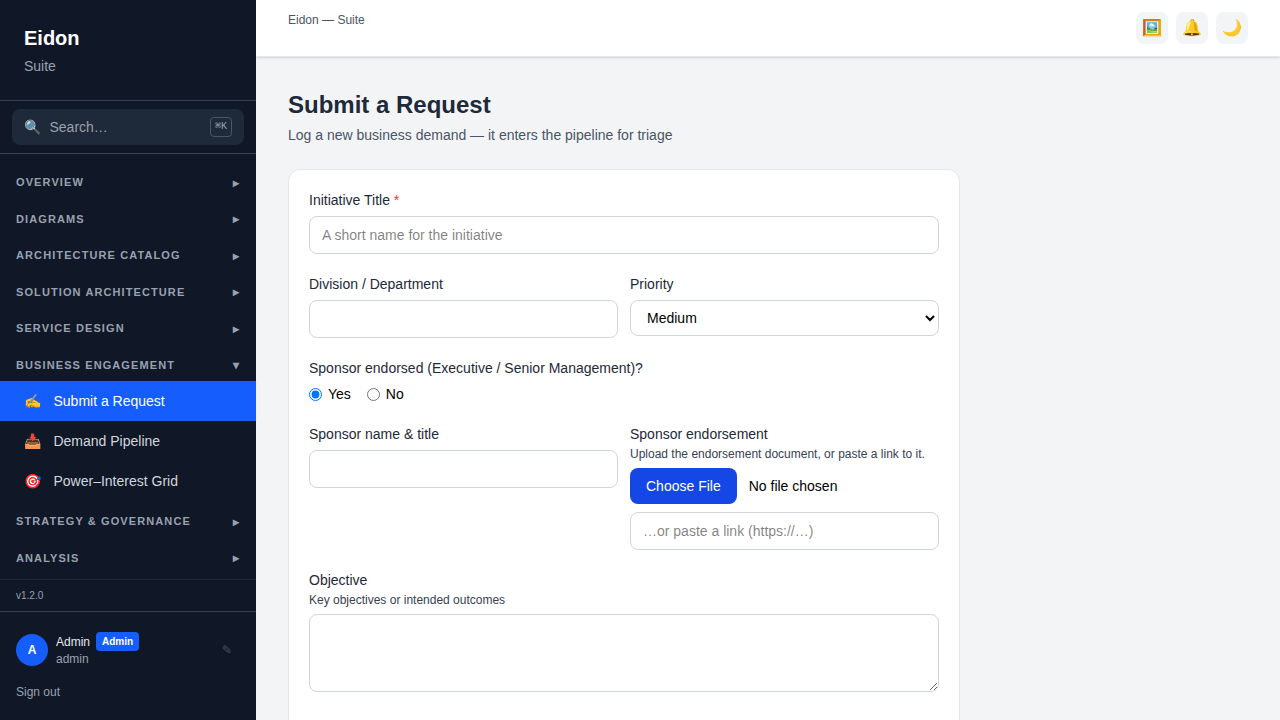
Two intake paths feed the same pipeline. Logged-in users go to Business Engagement → Submit a Request, a shorter in-app form. External requesters — anyone in the business without an Eidon account — use the public link at /r/:workspace-slug, a longer, numbered form (matching a typical "Business Engagement Initiative Request" template: title, division, sponsor endorsement, objective, problem statement, benefit, risk, request type) that requires an email address and returns a tracking reference the requester's browser remembers, so they can check their request's status later without logging in. Either path creates a new engagement straight into the "New" stage of the pipeline, sponsor-endorsement documents included as an attachment.
Power–Interest Grid
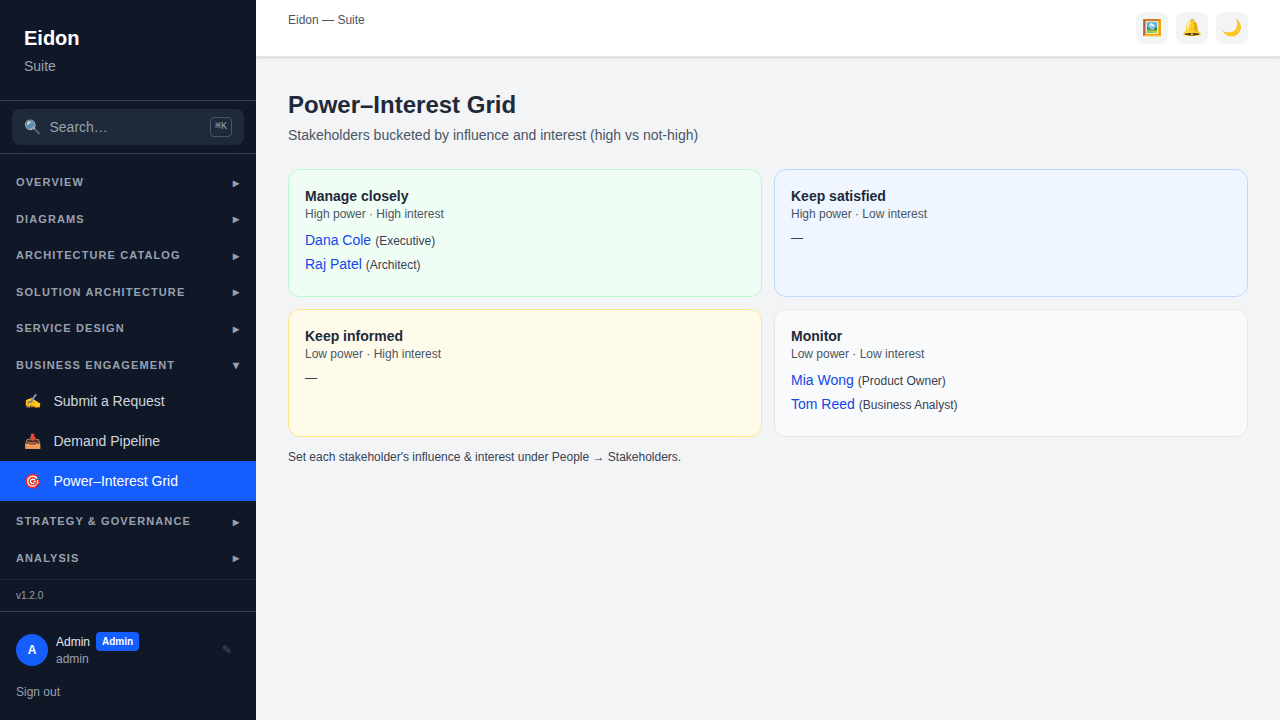
A 2×2 stakeholder-management view (Manage Closely / Keep Satisfied / Keep Informed / Monitor) bucketing every stakeholder by their influence (power) and interest ratings from the People → Stakeholders registry — the classic engagement-planning tool for deciding who needs deep involvement in a given initiative versus who just needs to be kept informed.
Demand Analytics
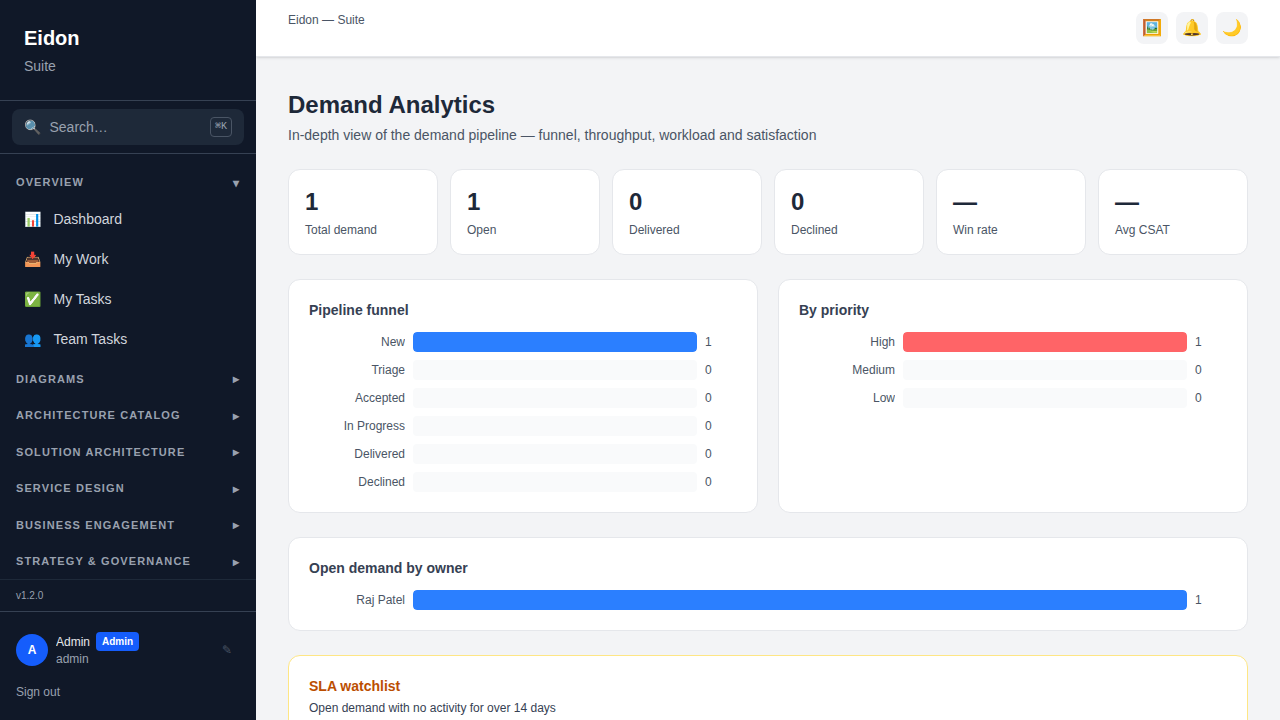
A rollup of the whole pipeline: total/open/delivered/declined counts, a win rate (delivered ÷ (delivered + declined)), average CSAT, a funnel view by stage, a breakdown by priority, open demand by owner, and an "SLA watchlist" of open engagements that have had no stage change for more than 14 days — the demand-side equivalent of a stale-ticket report, so nothing quietly sits untouched in Triage.