Architecture Catalog
The core EA catalog — the shared inventory every other module (Solution Architecture, Service Design, Business Engagement, Governance) links back into.
How the catalog fits together
Each entity type below describes *what it is*; this section is *how they connect* and *what order to fill them in*, since neither is obvious from browsing one list page at a time.
The shape: Domains and Portfolios are the two independent groupings everything else hangs off — a Domain answers "what business area is this," a Portfolio answers "which investment bucket." Capabilities describe what the business *can do*, organised into their own parent/child hierarchy and each optionally assigned to a Domain. Applications are what actually *does* it: each belongs to at most one Domain and one Portfolio, and links to the Capabilities it realises. Technologies and Data Assets are the layer underneath Applications — the stack components and the information those Applications produce/consume/store. APIs & Integrations describe how Applications (and other systems) talk to each other. Patterns and Reference Library entries sit alongside all of this as reusable guidance, not inventory — they get cited by a Solution Design or Decision rather than owned by any one Application.
A sensible build order (skip steps you don't need, but this is the order that avoids backtracking): Domains and Portfolios first (they're just names + descriptions, nothing to link yet) → Capabilities, optionally nested and assigned to a Domain → Applications, assigned to a Domain/Portfolio and linked to the Capabilities they realise → Technologies and Data Assets, linked to the Applications that use/produce them → APIs & Integrations, linking producer/consumer Applications → Patterns and Reference Library entries whenever you have real prior art worth capturing, which can then be cited back from any of the above or from a Solution Design. Bulk Import (Tools → Bulk Import) accepts a CSV per entity type and is usually faster than clicking through the UI for the first load of each — see "Onboard your first application portfolio" in Guided Walkthroughs.
Where the links actually live: most of the connections above (Application↔Capability, Application↔Technology, Application↔DataAsset) are recorded on the Relationships page (see Relationships & Visualization) as typed links (e.g. realizes, depends_on), not as a field on either record — so linking is always a separate step after creating both ends, not something you fill in on the creation form. Domain/Portfolio assignment is the one exception: that's a direct field on the Application/Capability record itself, not a Relationship.
Applications
The central inventory of software systems and IT components. Each application records its lifecycle status (proposed, active, retiring, retired), owning domain and portfolio, vendor, annual cost, licence type, cloud migration status (with a required justification if "Blocked"), parent/child hierarchy, business criticality, and the three ratings used for TIME analysis: business impact, technical condition and future business value. Applications also carry confidentiality/integrity/availability and BC/DR fields, and link out to APIs, risks and relationships. Editors can create, edit and delete; everyone can view, filter by lifecycle/portfolio/tag, and bulk-delete or bulk-edit selected rows.
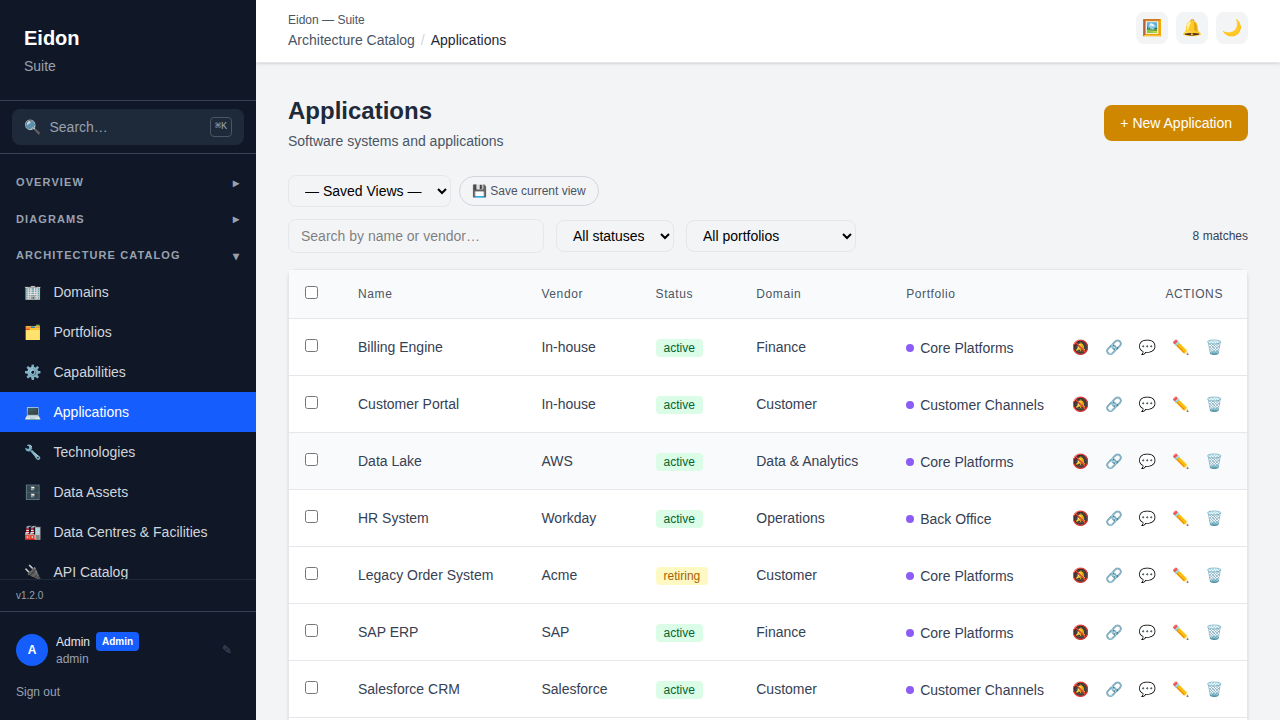
Application detail page
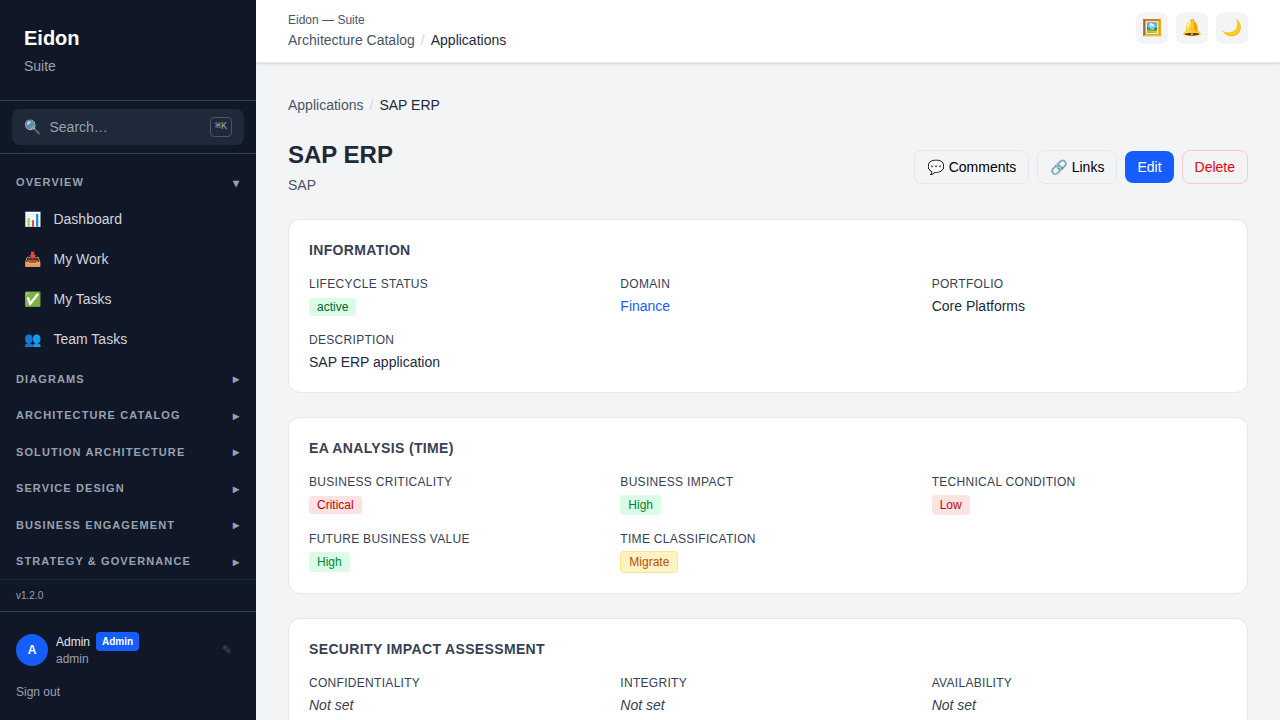
An application's detail page is a dossier, not just a form: alongside its editable fields it surfaces Relationships to other catalog objects, a Contracts & Licenses panel, Data Flow entries, linked APIs, Risks, Diagrams that reference it, a full field-level Version History with rollback, threaded Comments, a Recertification schedule, and (when linked to a source-control repo) a Git/CI freshness panel. Custom Fields defined in Settings appear alongside the built-in ones, and the record can be put on a Custom Field survey or Recertification schedule independently of any other application.
Domains
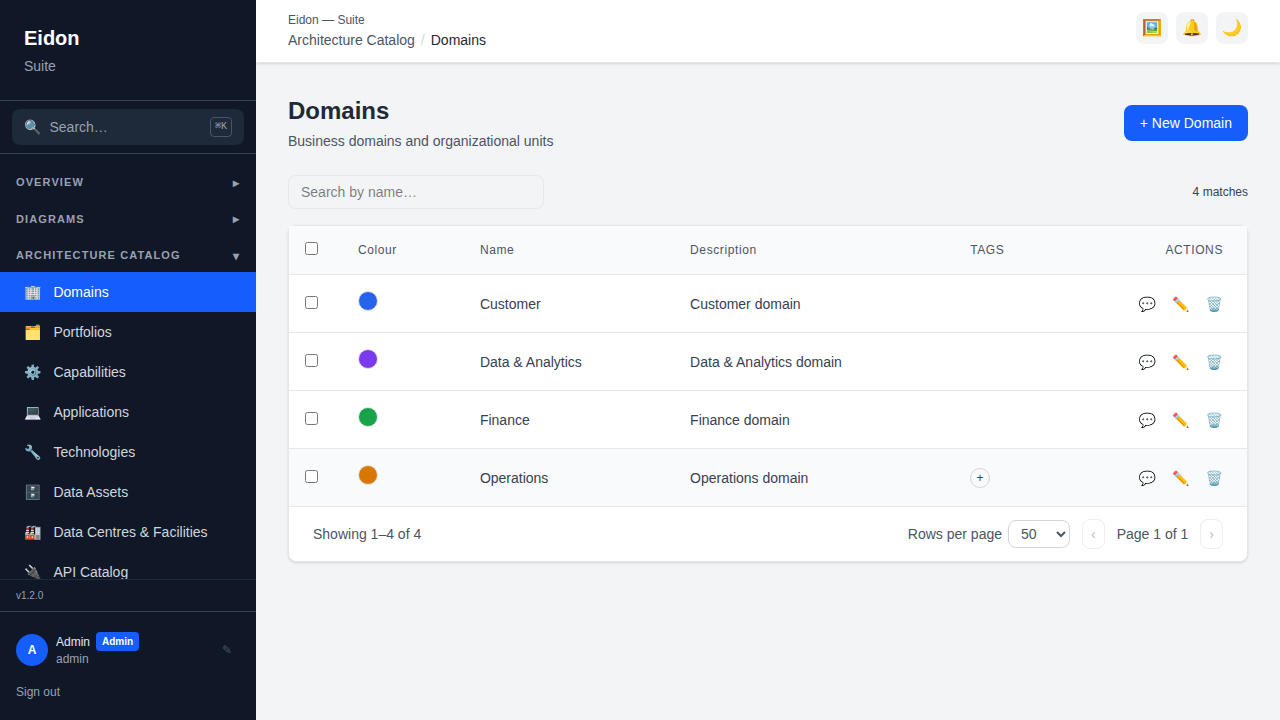
A Domain is the top-level grouping of the catalog — typically a business area or major system boundary (e.g. "Customer", "Finance", "Core Banking"). Domains carry a name, description and colour used consistently across list views, the Domain Mind Map and reports, and every Capability and Application can be assigned to one. Grouping by domain is what makes the Portfolio Heatmap, Cost by Domain breakdowns and the Change Calendar's domain filter meaningful — an ungrouped catalog can still be browsed, but domain assignment is what turns it into a navigable architecture rather than a flat list.
Portfolios
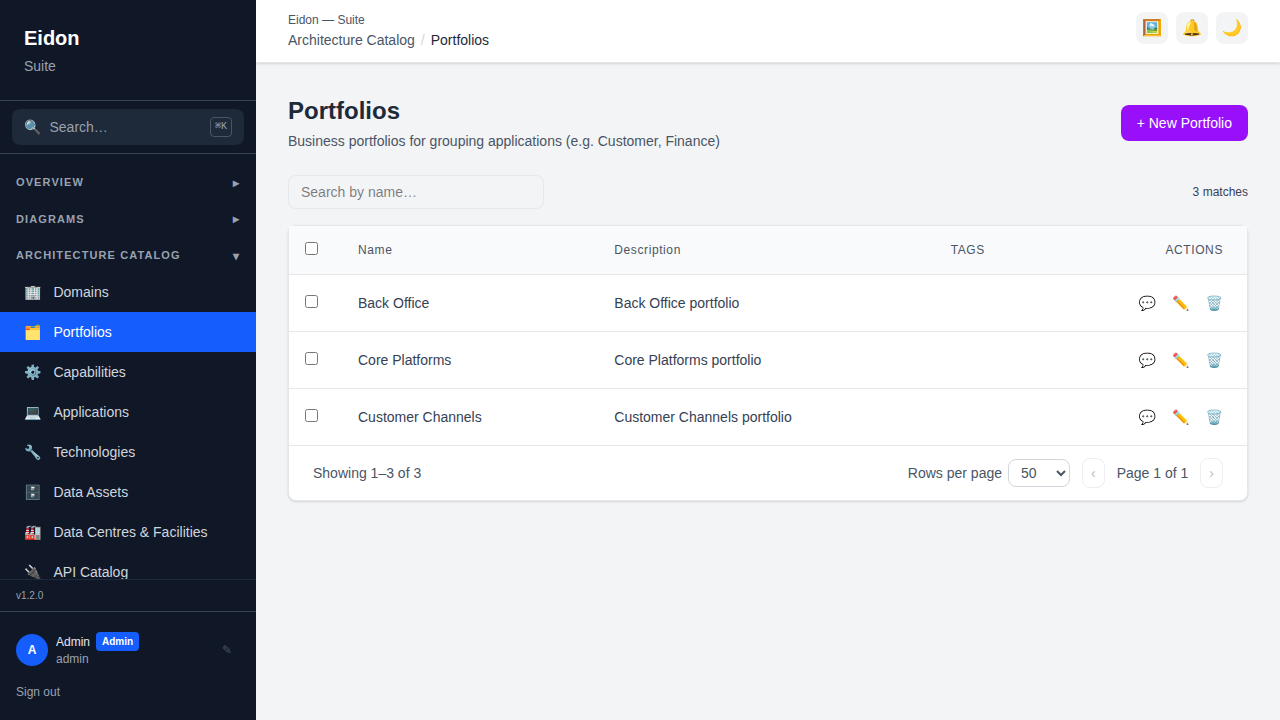
Portfolios are a second, orthogonal grouping to Domains — typically used for ownership or investment-management purposes (e.g. "Digital Channels", "Legacy Estate") rather than functional area. An application belongs to at most one portfolio and at most one domain, so the two dimensions can be cut independently: a report can show cost by domain and, separately, lifecycle mix by portfolio, without the two groupings colliding.
Capabilities
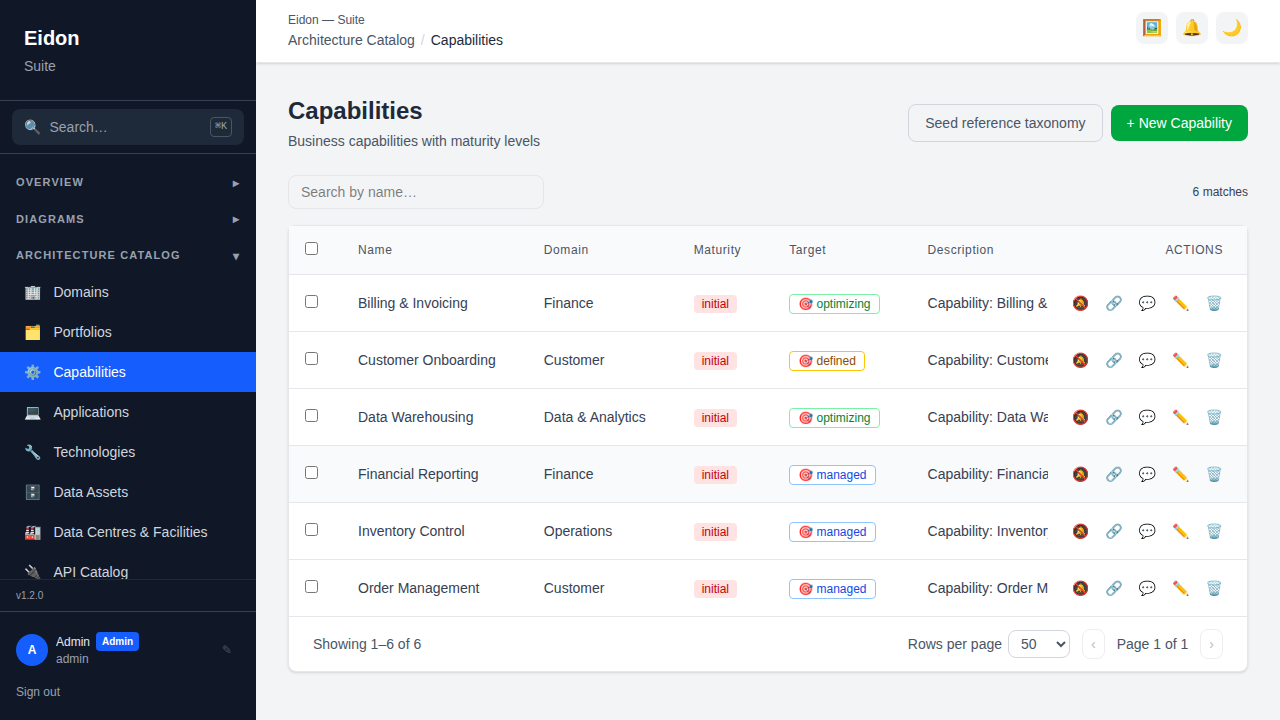
Capabilities describe what the business can do — independent of which application or team currently does it — and support a parent/child hierarchy so a capability map can be drilled from strategic-level ("Customer Management") down to operational-level ("Case Assignment"). Each capability tracks a current and target maturity level (Initial → Managed → Defined → Quantitatively Managed → Optimizing), and the gap between the two is exactly what Analysis → Gap Analysis and Analysis → Capability Maturity report on. Capabilities link to the applications that realise them (feeding Portfolio Heatmap) and to the strategic objectives they enable (feeding Strategy → Capability Map). A one-click "Seed capabilities" action can bootstrap a starter capability tree from a curated business-capability taxonomy rather than typing one from scratch.
Technologies
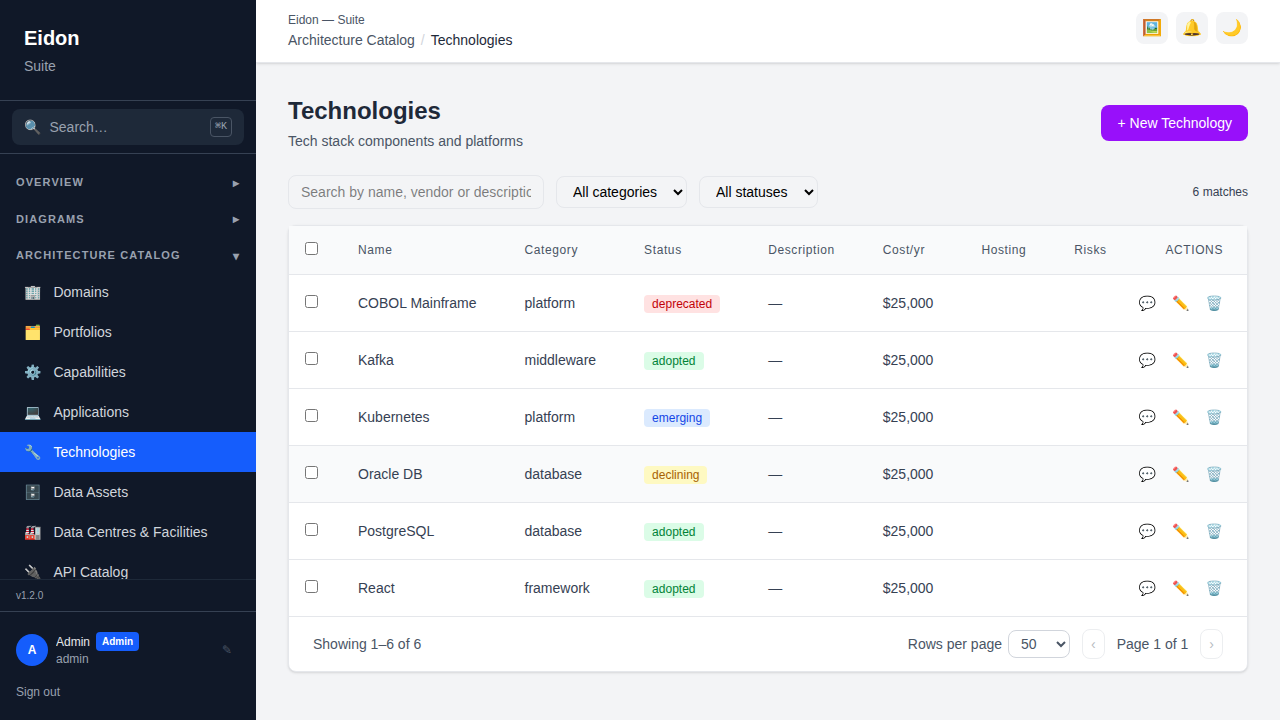
Technologies represent stack components — platforms, frameworks, databases, middleware, infrastructure — each with a category, lifecycle status, vendor/cost, and a Tech Radar ring (Adopt/Trial/Assess/Hold) set explicitly or derived automatically from lifecycle status and end-of-life dates. Optional lifecycle dates (general availability, active-support and end-of-life) and a TBM (Technology Business Management) category classify spend for cost reporting and drive the automatic obsolescence and radar-ring logic, so a technology approaching its vendor's EOL date surfaces without anyone manually re-flagging it.
Technology detail page
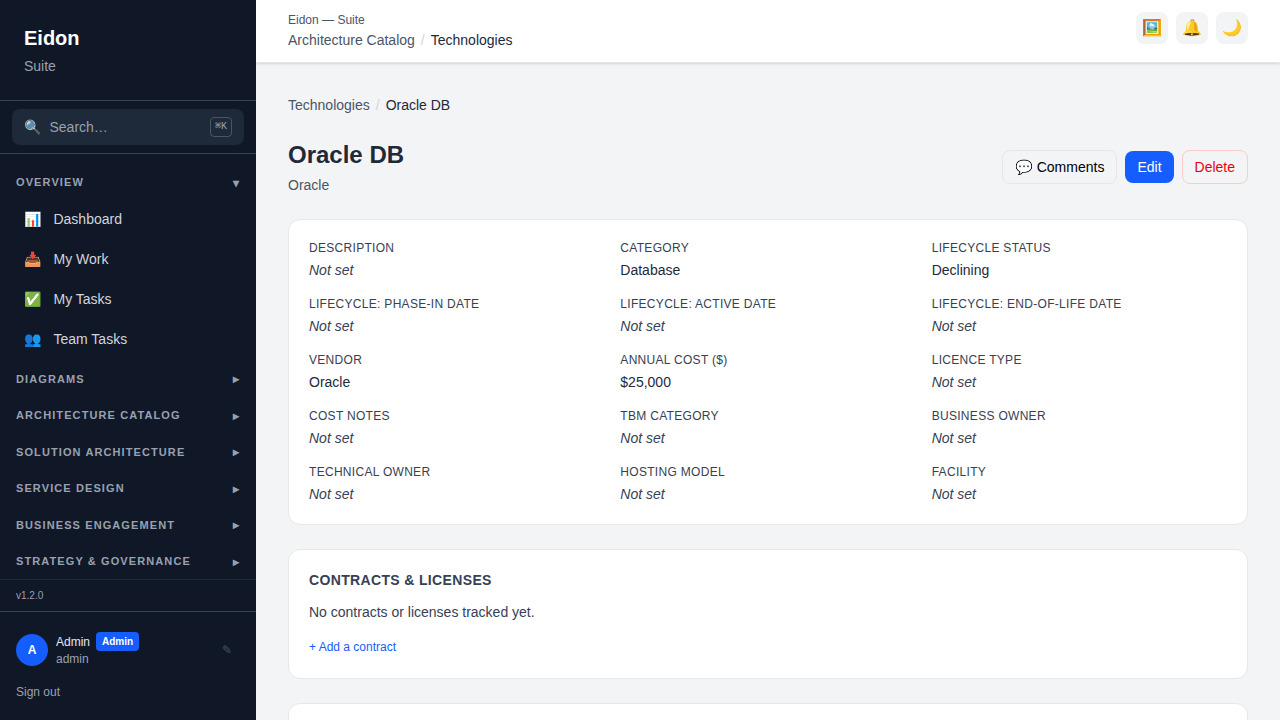
Like applications, a technology's detail page is a full dossier: Relationships (e.g. which applications depend on it), a Contracts & Licenses panel for vendor agreements, Version History, Comments, and a Recertification schedule, plus the lifecycle-date and TBM-category fields that feed the Radar and Obsolescence report.
Data Assets
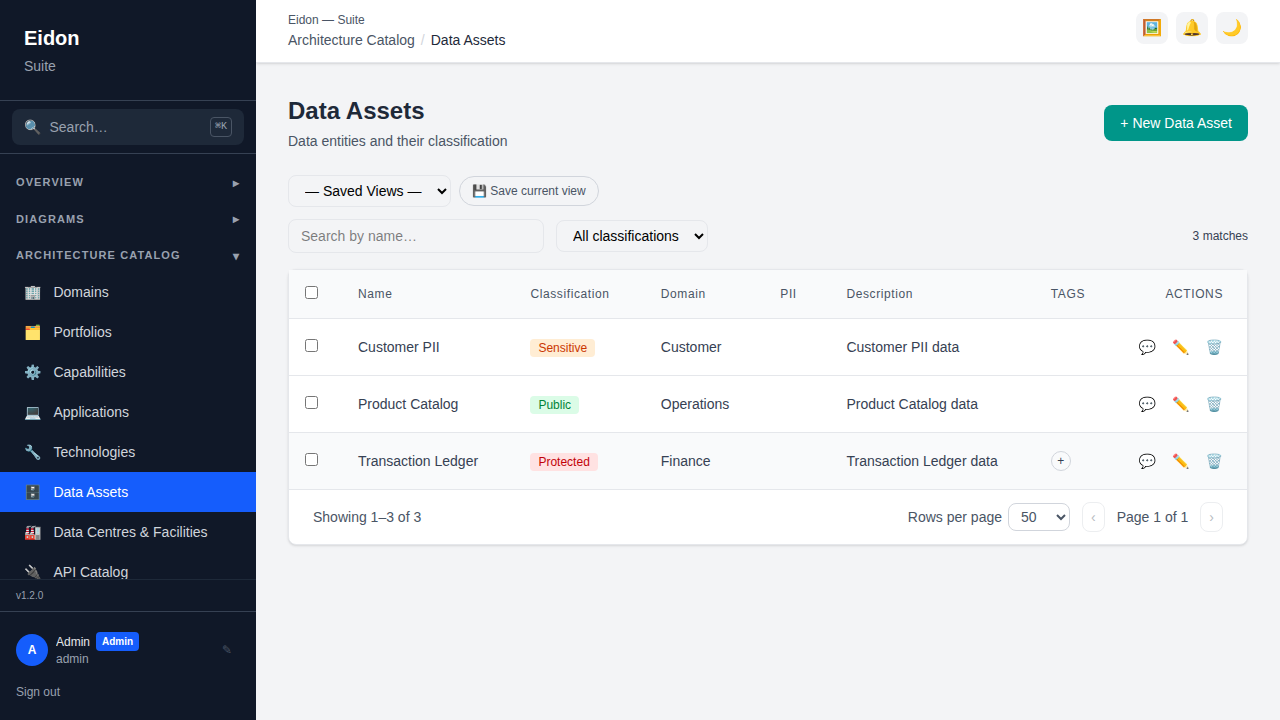
Data Assets catalog the information the organisation holds — datasets, master data domains, data stores — each carrying a security classification (Public/Official/Sensitive/Protected) used in compliance reporting and CIA (confidentiality/integrity/availability) ratings mirroring the ones on applications. Data Flow entries recorded against a data asset (or the applications that produce/consume it) are the raw material for the Data Lineage report, which traces multi-hop downstream flow from any asset.
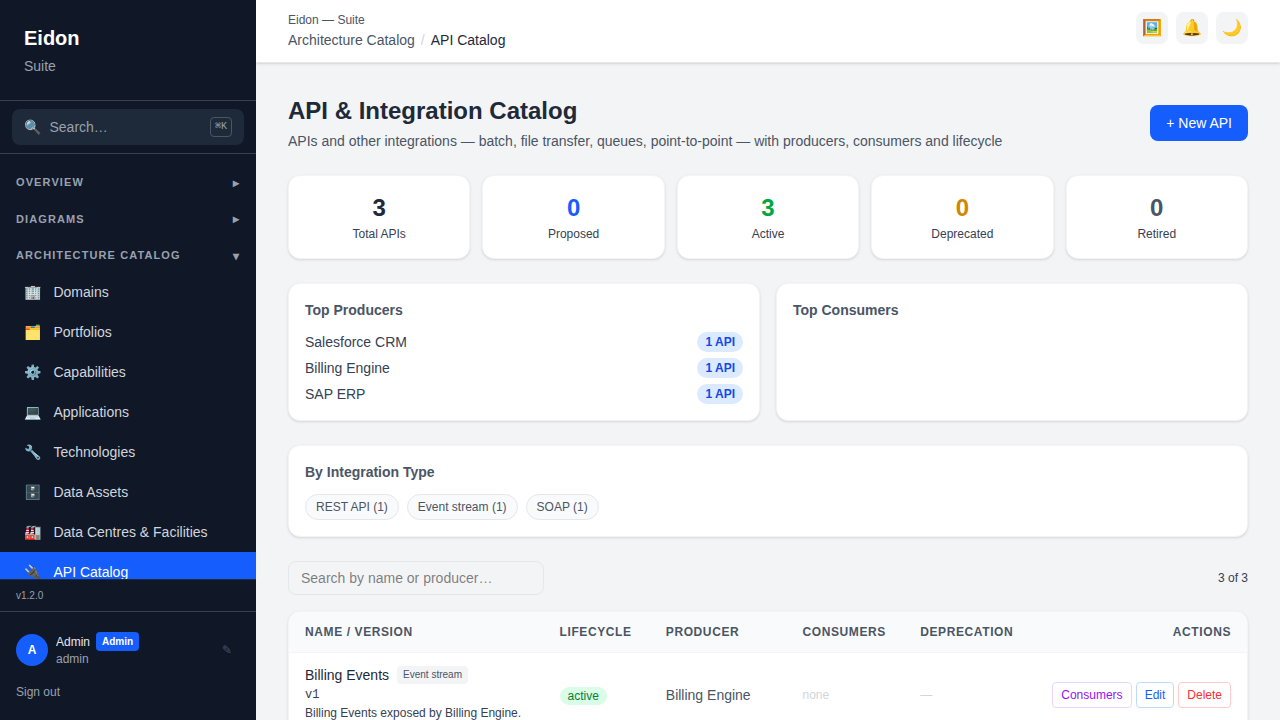
API & Integration Catalogue
The catalogue inventories integrations of every kind — not just web APIs. Each entry records an integration type (REST/SOAP/GraphQL/gRPC/webhook, plus non-API styles: file transfer, message queue, event stream, database link, batch job, scheduled/Windows service, point-to-point, ETL, RPA, or other), a producing/owning application, one or more consuming applications, status (active/deprecated/retired) and an optional deprecation date. Three style-agnostic attributes describe how the integration works regardless of type: protocol (e.g. HTTPS, SFTP, JDBC, AMQP, SMB), data format (e.g. JSON, XML, CSV, fixed-width) and frequency (e.g. real-time, hourly, nightly batch, on-demand). API-specific fields — version, base URL and OpenAPI spec URL — appear only for the API styles. Editors can create, edit and delete entries (and manage the consumer list); everyone can view, search and filter by status. Entries can also be bulk-loaded from CSV via Bulk Import (the "APIs & Integrations" template includes all of the above columns; integration_type defaults to rest_api if left blank).
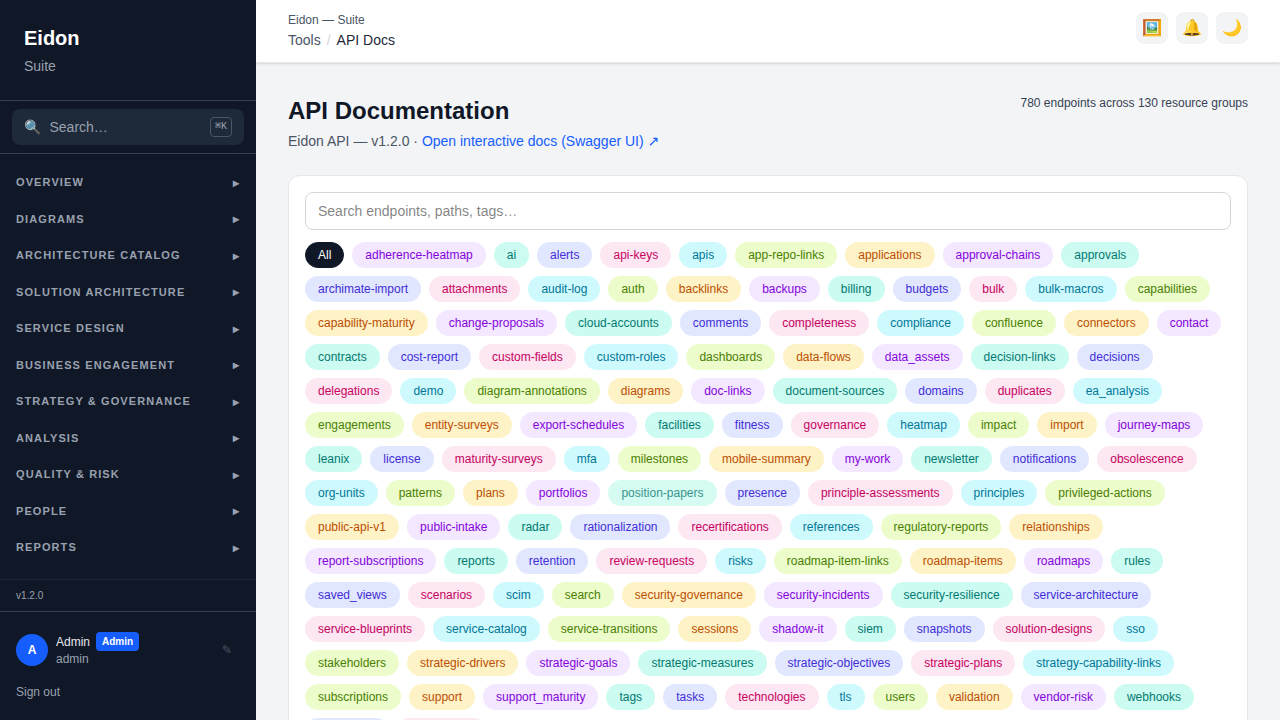
API Docs
A separate, auto-generated browsable view of the backend's own OpenAPI spec, with search and tag filters to find a specific endpoint quickly, plus a link through to the fully interactive Swagger UI at /docs where a request can be tried directly. This documents Eidon's own REST API (useful for anyone building an integration or automation against it) and is distinct from the API & Integration Catalogue above, which inventories the organisation's other systems' integrations.
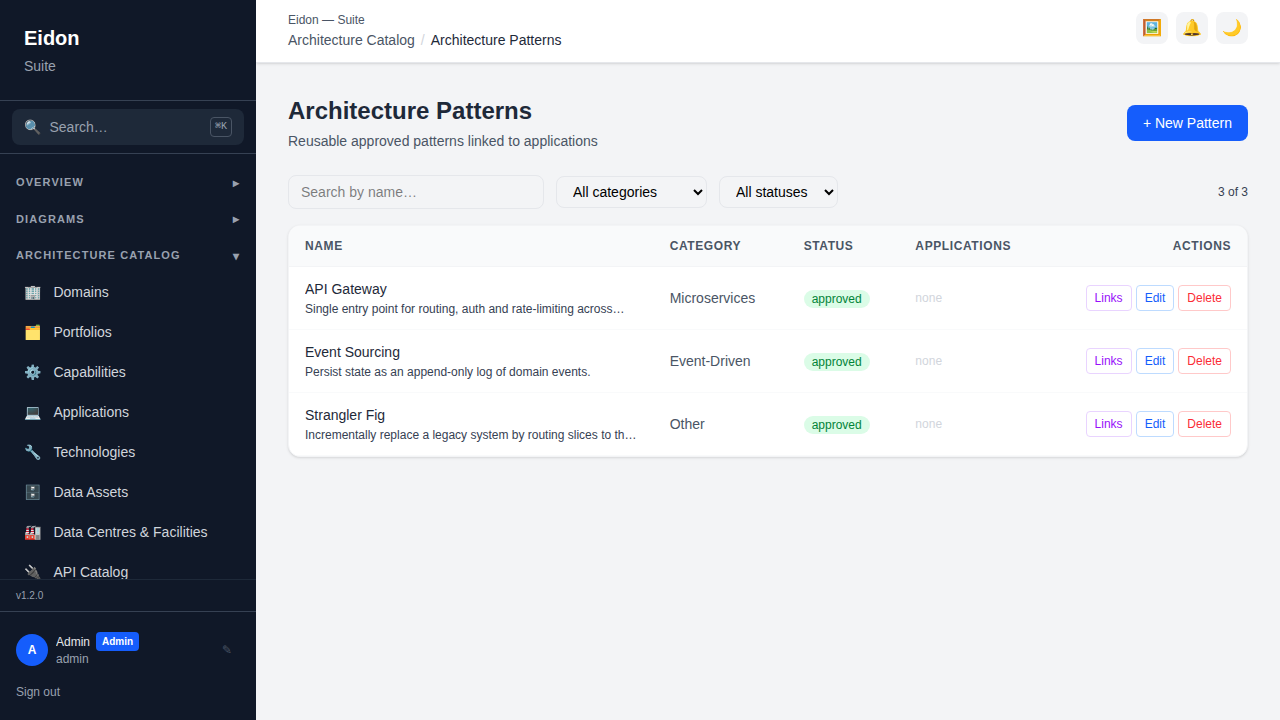
Patterns
A catalog of reusable architecture patterns (e.g. microservices, event-driven, CQRS) with a status (proposed/approved/deprecated), a description, when-to-use guidance, considerations, and benefits/trade-offs fields so a pattern record gives real direction rather than just naming an option. Each pattern's "Links" panel manages: the applications that implement it; the principles that motivate or govern its use; related patterns (alternative to, complements, or supersedes another pattern); and diagrams that illustrate it. Architecture Decisions and Solution Designs can also link directly to a pattern (the latter via its Reuse panel), so a decision or a solution can cite the exact pattern it adopted rather than reinventing it.
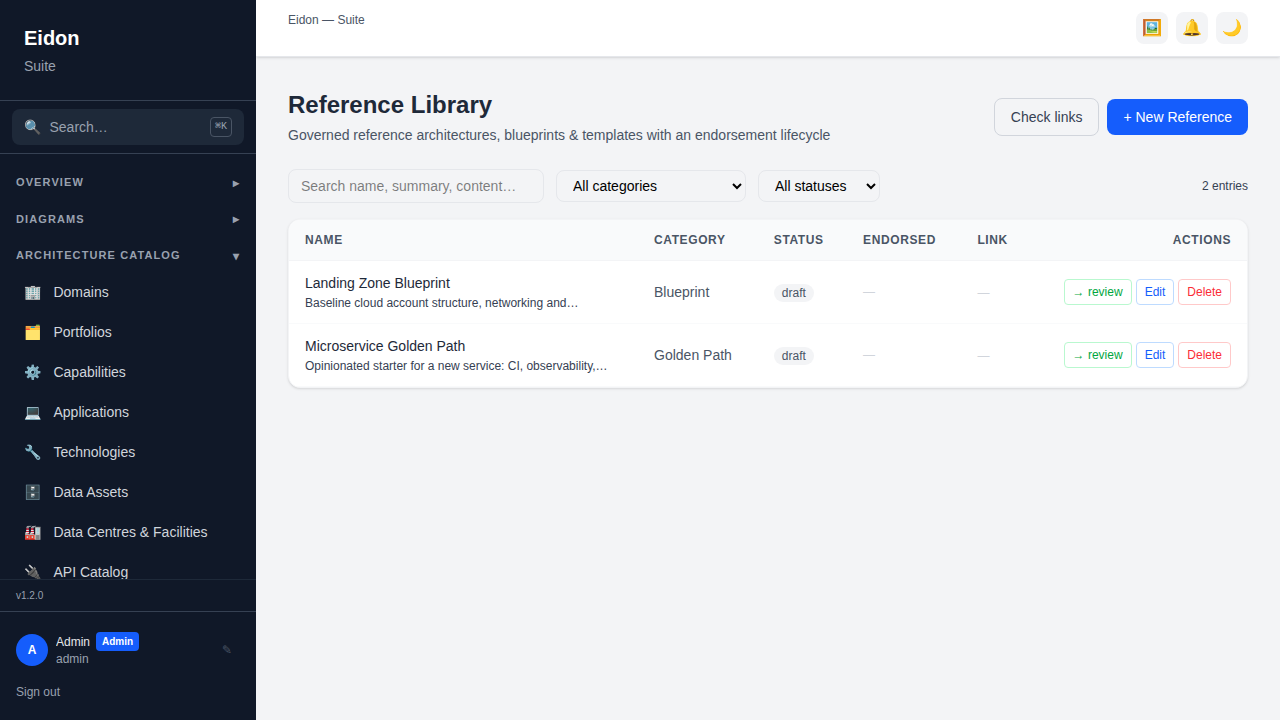
Reference Library
Governed reference architectures, blueprints and templates — golden-path material intended to be reused rather than rediscovered on every project. Each entry has a category (Reference Architecture, Blueprint, Template, Golden Path, or Other), a summary, when-to-use guidance, considerations, an in-app content body, an optional external URL (repo, doc, or template link), an owner, and attachments. Entries move through a draft → review → endorsed → superseded lifecycle, mirroring Patterns and Principles, so "endorsed" carries real weight rather than every draft looking equally authoritative. A "Check links" action runs a liveness check against every entry's external_url and shows a green/red dot per entry (with the last-checked date) so stale or broken links to external documentation surface before someone follows a dead one. Solution Designs surface endorsed reference entries directly in their Reuse panel, one click away from being linked into a new design.
Contracts & Licensing
Applications and Technologies each carry a Contracts & Licenses panel on their detail page tracking vendor contracts — renewal date, cost, licence type and notes. Contracts approaching their renewal date trigger an automatic notification (and, if configured, an outbound Slack/Teams/webhook event) so renewals don't get missed; the same data feeds the Vendor Risk and Cost & TCO reports.
Data Flows
Applications and Data Assets detail pages include a Data Flow panel describing how data moves between systems (source, target, description, frequency). This is the raw data behind the Data Lineage report, which traces multi-hop downstream flow from any data asset.
Git/CI Freshness
An Application's detail page can show a repository freshness panel (last commit, last successful CI run, branch) when linked to a source-control repo via Settings → Connectors-style app/repo links — useful for spotting catalog entries that have gone stale relative to what's actually being shipped.