Solution Architecture
Forge (module "sa") governs the design of individual solutions — the layer between strategic capabilities and the applications that implement them — with requirements, options, a weighted decision matrix, and a full audit-ready lifecycle.
How it fits together
A Solution Design is the hub; almost everything else in this chapter is something attached to one. Inside a design: Requirements each optionally trace to a Building Block; Options are scored against the Decision Matrix's weighted criteria; Building Blocks are optionally realised by a real catalog object (an Application, Technology, Data Asset, or an Architectural Service from the Service Architecture catalog below) once that piece has an actual implementation. Outside the design, three things connect it to the rest of Eidon: a recommended Option can be promoted straight into a pending Architecture Decision (Governance chapter), Components/Reuse links pull in existing Architecture Patterns and Reference Library entries, and a Risks panel links to Risk Register entries. Service Architecture is a peer catalog, not a child of Solution Designs — a service exists independently and gets *referenced* by one or more designs' Building Blocks, the same way an Application does.
Build order: create the Solution Design first (summary + current/target state narrative), add Requirements as you gather them, add Options as candidates emerge, score the Decision Matrix once you have at least two real options to compare, then add Building Blocks and realise the ones that map to something concrete. Promoting an Option to a Decision and putting the design through Review Requests are both end-of-lifecycle steps — do them once the design has actually converged, not while it's still being drafted (a Decision promoted from an unfinished design just means a second edit later).
Solution Designs workbench
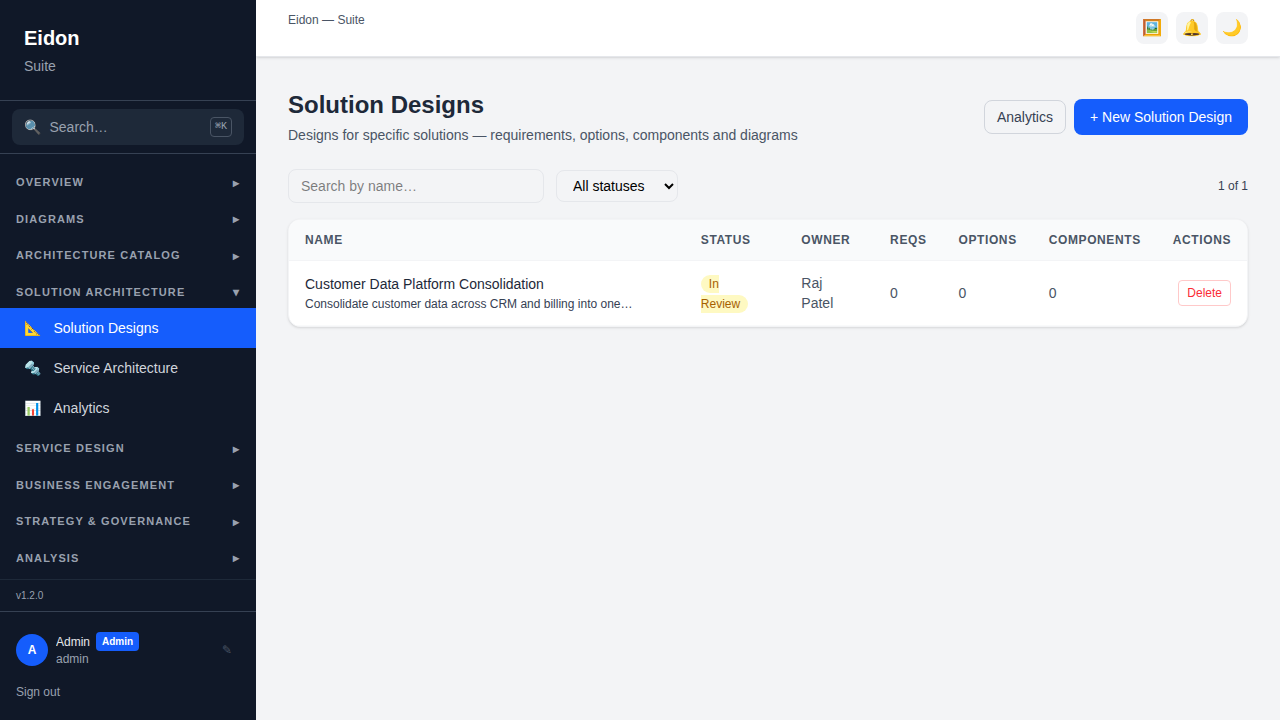
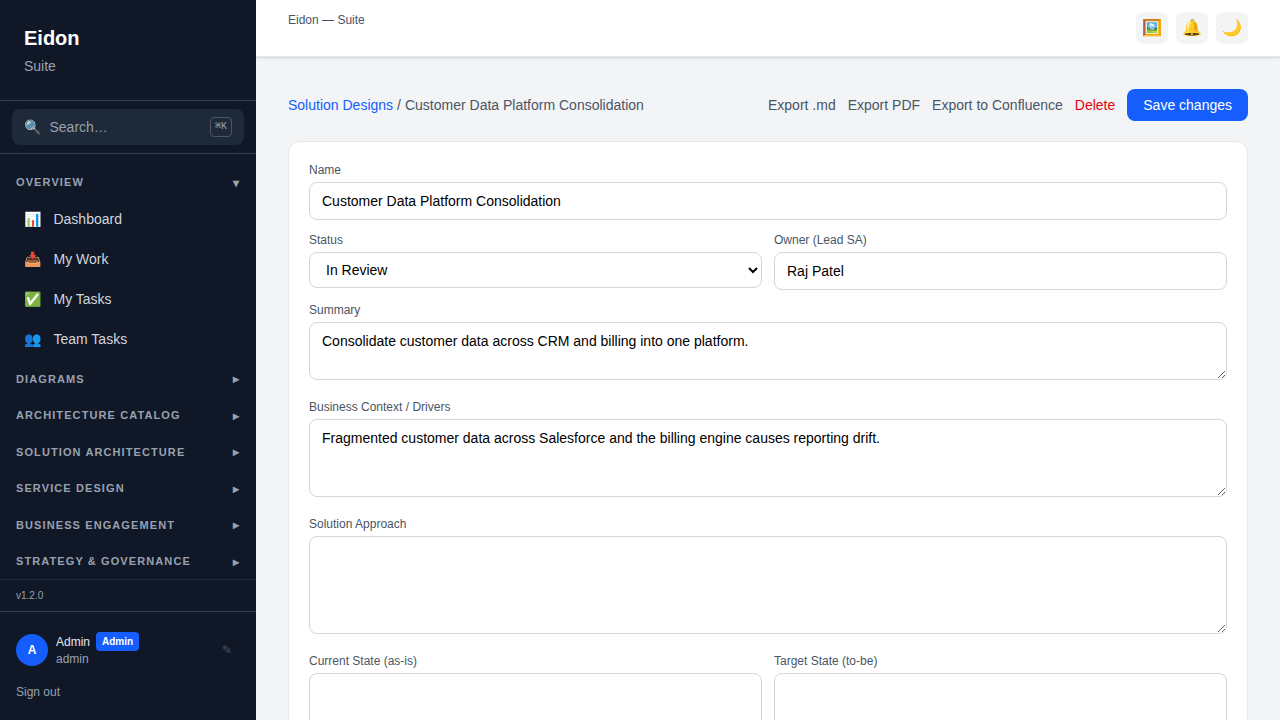
A Solution Design is a dedicated workspace for one piece of solution work, moving through draft → in_review → approved → superseded. The list page shows each design's status, owner, and counts of requirements, options and components so you can gauge progress without opening every record; filter by status or search by name. Each design has a summary, business context/drivers, solution approach, current state (as-is) and target state (to-be) narrative, a target date, and a rough cost estimate — the same shape a written solution architecture document would take, but structured and linkable rather than a static Word file.
Requirements, Options & the Decision Matrix
Requirements & NFRs are captured as functional or non-functional items, each with a priority (low/medium/high), an optional category (e.g. security, performance) and a verification status (not verified/verified/failed); a requirement can be traced directly to the Building Block that satisfies it, and the design shows what fraction are traced. Options Analysis captures each candidate approach with a description, pros/cons and a manual score, with one marked "recommended". The Decision Matrix supersedes a single manual score with an objective one: define weighted criteria (e.g. cost, scalability, risk), score every option 0–5 against each, and Eidon computes a normalised 0–100 weighted score per option, highlighting the top-ranked one. A recommended option can be "promoted" directly into a (pending) Architecture Decision, linking the decision back to the design that produced it.
Building Blocks, Components, Reuse & Risk
Building Blocks are the logical pieces of the solution (e.g. "Identity Service", "Reporting Layer"), each optionally realised by a real catalog object — an application, technology, data asset, or an Architectural Service from the Service Architecture catalog below — once that piece has an actual implementation; this is what lets a requirement trace all the way to a concrete system. Components is a broader link panel for any other catalog objects that make up the solution, each with an optional role label. The Reuse panel surfaces existing Architecture Patterns and endorsed Reference Library entries as one-click "+ add" buttons, so a solution architect builds on prior art instead of starting from a blank page. A dedicated Risks panel links the design to Risk Register entries it carries or mitigates, keeping risk exposure visible alongside the design itself rather than in a separate spreadsheet.
Service Architecture
A technical/SOA service catalog nested inside Solution Architecture at Architecture Catalog → Service Architecture, distinct from Service Design's customer-facing Service (the two are deliberately separate: one describes what a service does for a customer, the other describes how it's built and run). Each Architectural Service records a service type (API, event-driven, batch, shared library or data service), a criticality tier (tier1–tier4), an SLA target and a team owner, and maps to an owning application, capability and domain. Existing APIs in the API Catalogue can be attached to a service, so one service exposing both a REST API and an async event stream shows both from the same record. A service's Dependency Graph tab visualises its direct relationships, and it participates fully in the shared Relationships graph and Impact Analysis (blast-radius) tooling alongside every other catalog entity — traversal, not a separate silo.
Retiring a service (especially a tier-1 one) is the high-blast-radius operation, so it's the one that's governed: a service opens for editing straight to "active", but retiring it routes through the same Review Requests / Approval Chain mechanism as Decisions and Solution Designs, and a rejected retirement simply reverts to active. A service can also be picked as the realized object for a Solution Design Building Block (above), and both its list and detail pages show what references it elsewhere in the catalog via the standard Related Artifacts / backlink-count badge mechanism (see Cross-Cutting Features).
Governance, Recertification & Export
A Solution Design can go through the same Review Requests and multi-step Approval Chain mechanism used elsewhere in Eidon, and — once approved — be put on a recurring Recertification schedule so an "approved" design doesn't quietly drift out of date as the target state evolves. Diagrams can be attached directly to the design (Target Architecture and C4-style templates are the natural fit), and the whole design — summary, context, approach, states, requirements, options and building blocks — exports to a clean Markdown document, or via Export PDF to a formatted, board-ready report: a cover page carrying the workspace's branding, an at-a-glance KPI strip (requirements verified, traceability, options assessed, linked risks), colour-coded requirement and risk tables, and an options analysis with a weighted-score comparison chart and the full decision matrix. A Related Artifacts panel shows every other record (an Engagement, a Roadmap item, a Decision) that references this design back, so its provenance and downstream impact are both visible from one page.
Solution Architecture Analytics
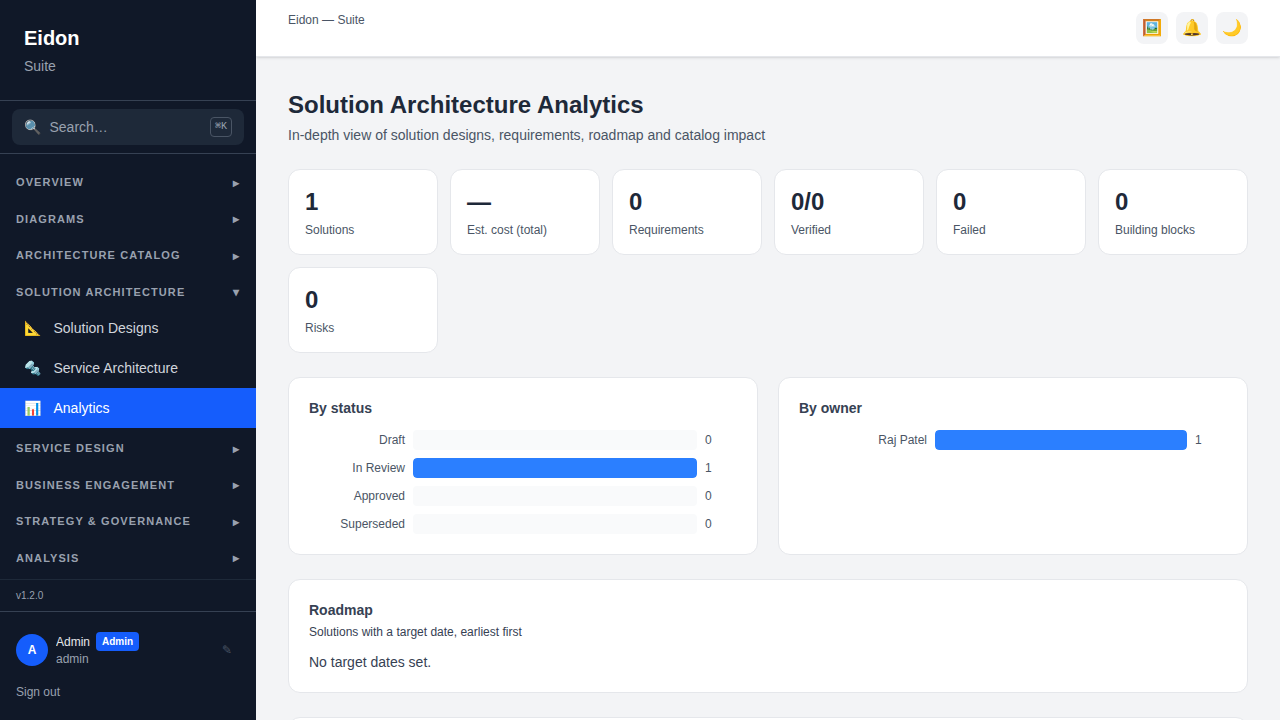
A rollup across every solution design: counts by status, total estimated cost, requirement verification progress (verified/failed out of total), building-block and linked-risk counts, and a breakdown by owner to see workload spread. A roadmap view lists designs with a target date, earliest first, and a catalog-coverage view shows which applications and capabilities are touched by in-flight (non-superseded) designs — and by how many — surfacing where solution work is concentrating or where two designs might be quietly overlapping.